Review the default universal SSL certificate created by Cloudflare for your domain. If you create a subdomain that isn't covered by this certificate, you can request an advanced certificate for it. For more information, refer to Cloudflare DNS in our SSL Developer Documentation.
Before proceeding with this lab, make sure you disable any services running on your machine that might intercept HTTPS traffic (VPNs, Cloudflare WARP, etc.).
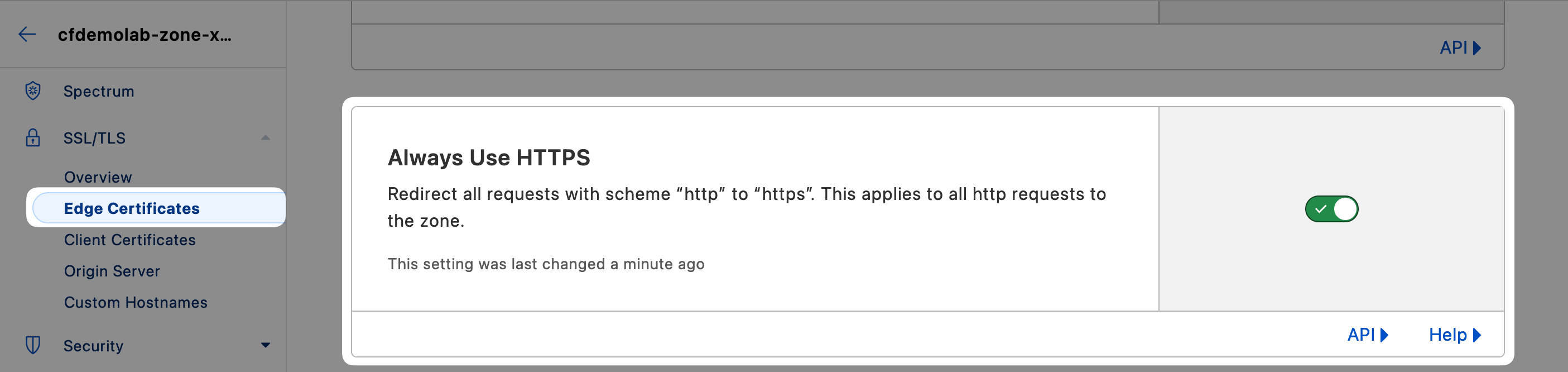
Before we start looking at TLS certificates, let's enforce HTTPS on our zone. This will help prevent accidental requests via HTTP that wouldn't use TLS.
Open your zone in the Cloudflare Dashboard and select SSL/TLS ‣ Edge Certificates. Here, turn on Always Use HTTPS.
TLS 1.0 is the default zone setting. This is maintained for compatibility purposes, but is advisable to change in most cases. Scroll down a little further from the previous setting and set Minimum TLS Version to TLS 1.2

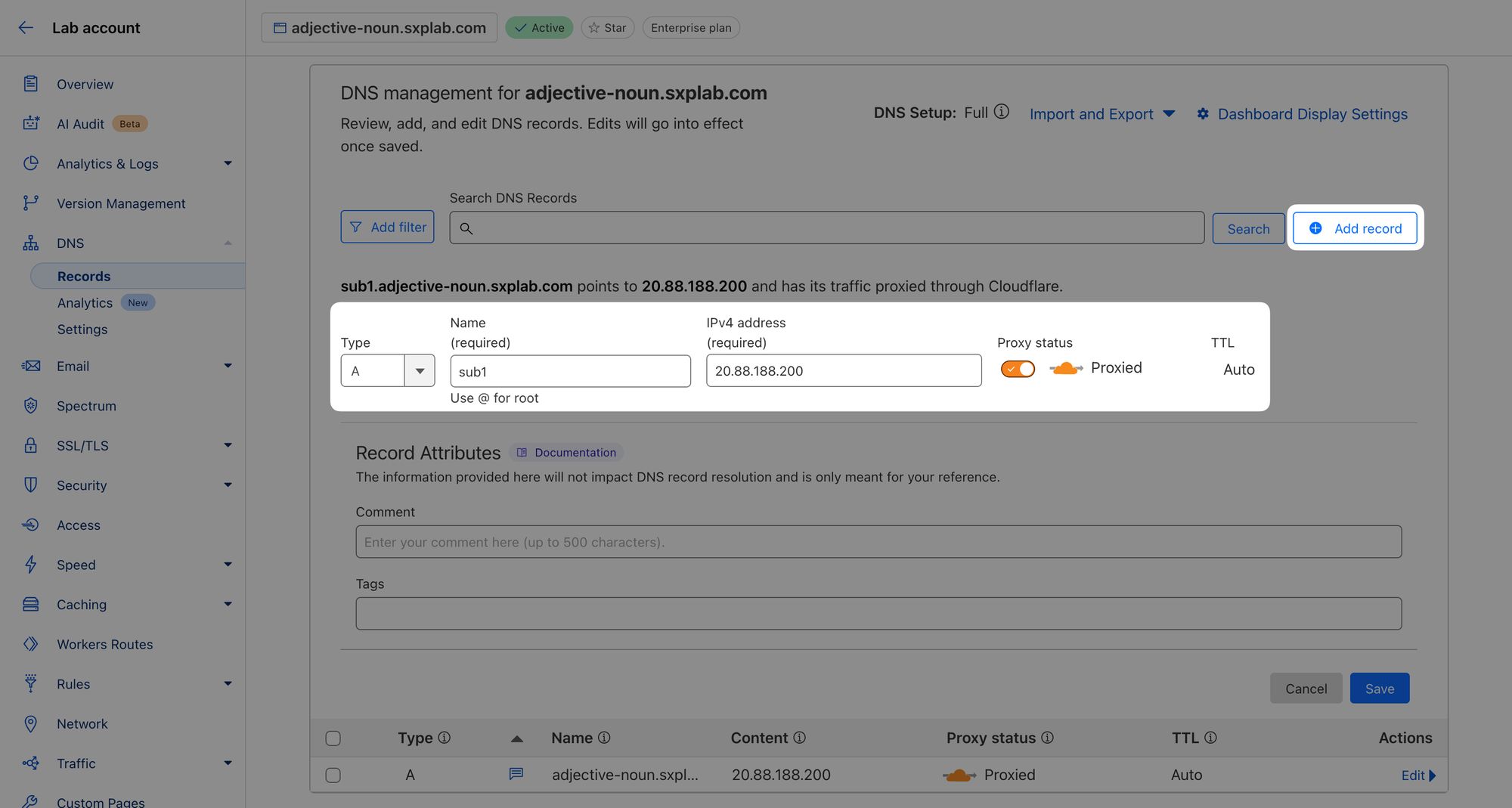
Next, head to DNS ‣ Records and create a level 1 subdomain, in this example we'll call it sub1.
For the purposes of this exercise, it doesn't really matter where that subdomain points to. For the sake of simplicity, let's use the same origin server the apex domain points to: 20.88.188.200.